Now on the App Store

Your space, reimagined.

Photograph any room and see it redesigned, with the furniture, the paint colours and the weekend plan to actually make it happen. Renting? Nothing in it needs a drill.

Your first full redesign is free.

A real room, and the redesign Decora made of it.

60seconds

From one photo to a finished redesign, with every piece already matched to a retailer.

Scan to open
on the App Store

Free to try

Three room scans a month and your first full redesign, on the house, with the makeover plan and paint matches that come with it.

Done before you leave the room

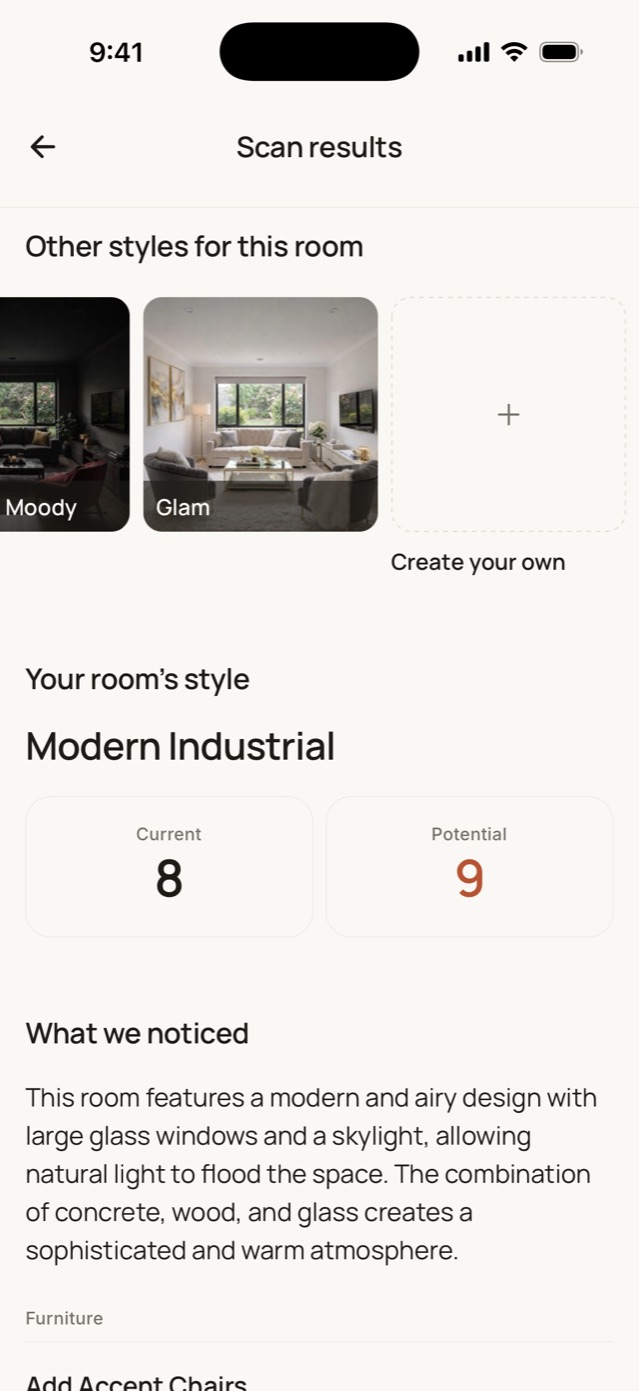
One photo becomes a considered read of the space and a photorealistic redesign of it, while you're still standing in it.

Real furniture, not fantasy

Every piece in a Decora redesign is matched to something you can actually buy, with the paint colours named.

One photo in. A room you can actually build out.

Every step runs on your own room. Not a mood board, not someone else's apartment.

  1. Scan the room

    Take one photo. Tell Decora if you're renting, what you'd spend, and whether the space is empty. It designs around all three.

  2. See it redesigned

    A photorealistic redesign of the same room, same windows, same proportions. Choose from 20 styles or let Decora pick.

One style, carried from room to room.

Start a project and every room you scan into it is designed against the same brief: the same palette, the same materials, the same restraint. A home that looks decided, rather than assembled one room at a time.

  • Scan a second room and it matches the first
  • One palette, held across the whole project
  • Whole-home projects on Pro and Max
The Decora app showing a project called My project, styled Scandinavian Minimalism and tuned to a room already scanned, with its palette named: White, Seashell, Alto, Silver Chalice and Summer Green. Two rooms are in the project so far.

Every piece in the redesign is a thing you can buy.

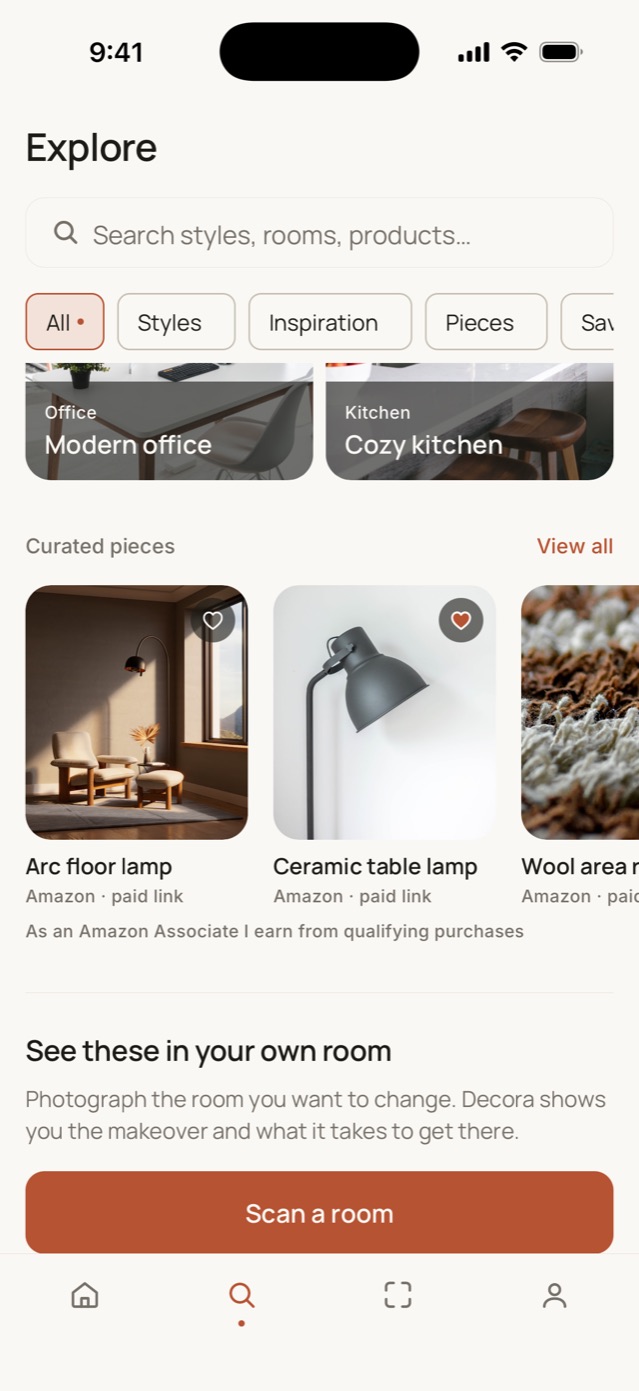
Decora reads the redesign it just made and finds the real pieces inside it: the rug it drew, not a rug like it. A redesign you can't shop is just a picture.

  • Matched across five retailers
  • Paint colours named, not approximated
  • Found in your redesign, not picked from a catalogue
A Decora render of a living room at night with three products identified in it: a wool rug, an arc floor lamp and a linen cushion.
Wool rugRugs Arc floor lampLighting Linen cushionTextiles

Do this weekend.

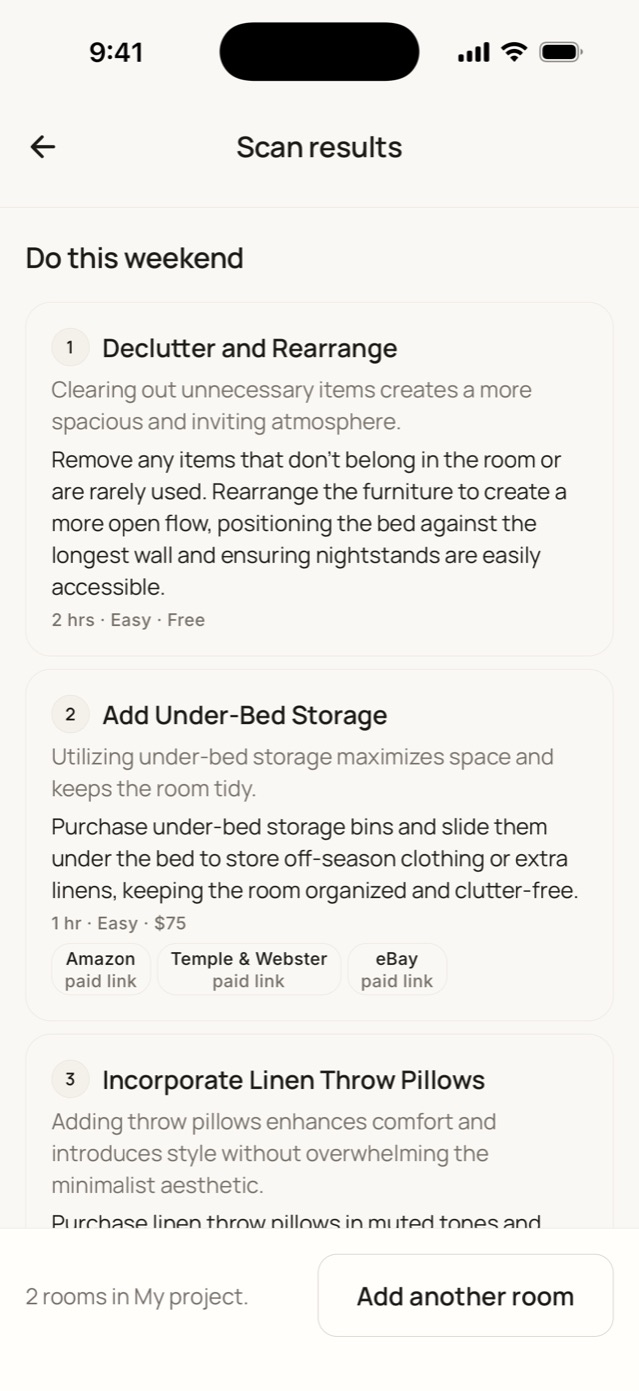
The same redesign, broken into moves you can finish on a Saturday, cheapest first, with what each one costs and what it changes. Not one of these needs a landlord's permission.

  1. Lay the rug and pull the sofa forward

    20 minnothing to buy

  2. Swap the ceiling globe for warm white

    $12biggest change per dollar

  3. Add the floor lamp to the dark corner

    $149Temple & Webster

Then keep going. Warmer walls, softer lighting, a different floor. Three guided tweaks come with every redesign and build on each other, with a free undo. This is the part that makes it a habit.

Makeovers you'll actually do.

Decora designs for the home you actually have, including the one you don't own, and the parts of it that sit outside.

Renting? Keep it landlord-safe.

Turn on renter-friendly mode before you scan and everything Decora suggests comes back off at the end of the lease: art that leans, lamps that plug in, tension rods instead of curtain brackets, storage that stands on its own.

  • No paint, no drilling
  • Freestanding and damage-free by default
  • Applies to the advice and the redesign alike

Balconies and backyards count too.

Scan a balcony, patio, deck or garden the way you'd scan a living room, then pick a style built for outside: Alfresco Coastal, Native Bush, Tropical Resort or Modern Entertainer.

  • Balconies, patios, decks and gardens
  • Four outdoor-native styles
  • Products matched to the new look, same as any room

Get the app

One room. Every style.

One real living room, scanned after dark, rendered in ten of Decora's twenty styles. Tap a style to change the room, or drag the seam to see what it started as. Every render is lit for night, because the room was.

Dark and Moody deep olive walls, brass sconces and a bouclé sofa

Ten of the twenty styles Decora renders. Pro and Max unlock every one; Max can describe its own.

Start free. Upgrade when you're ready.

A scan reads a room; a redesign renders it. Max is exactly twice Pro, and a year costs exactly half of twelve months. Cancel anytime in the App Store.

Free

Try Decora on your own room, no commitment.

$0/month

Free forever

Start free
  • 3 room scans a month
  • Your first full redesign included
  • Full analysis: style, palette, improvements
  • Makeover plan, shop-the-look and paint matches
  • Renter, budget, outdoor and empty-room modes
  • 3 product recommendations per scan

Most popular

Pro

Full redesigns for people transforming their home.

$19.99/month

Billed monthly

Get the app
  • 20 room scans a month
  • 10 full redesigns a month
  • All 20 styles, indoor and outdoor
  • Refine any redesign: 3 guided tweaks included
  • Redesign a room in up to 3 styles at once
  • Projects: whole-home makeovers, every room in one style
  • 6 product recommendations per scan

Max

For design enthusiasts and whole-home projects.

$39.99/month

Billed monthly

Get the app
  • Everything in Pro
  • 100 room scans a month
  • 25 full redesigns a month
  • Up to 5 styles at once (Pro gets 3)
  • Custom styles: describe your own, save up to 10
  • 8 product recommendations per scan

Need unlimited scans for a design studio or team? Contact us for Enterprise

Questions, answered.

How does Decora redesign my room?

Take a photo of your room, choose a style, and Decora generates a photorealistic redesign in about a minute, along with product recommendations matched to the new look.

What happens to my photos?

Your photos stay yours. They're stored securely in your private account, used only to create your redesigns, and you can delete them at any time.

Is Decora free to try?

Yes. The free plan includes three room scans a month and your first full redesign, for as long as you like, with the makeover plan, shop-the-look and paint matches that come with it. Upgrade to Pro or Max for monthly redesigns, more scans, every style, guided refinements and Projects.

Which rooms can I redesign?

All of them: living rooms, bedrooms, kitchens, bathrooms, and home offices. If you can photograph it, Decora can redesign it.

Can I choose a specific style?

Yes. Pro and Max unlock all 20 styles: Japandi, Coastal, Mid-Century, Maximalist and more, plus four built for balconies, patios, decks and gardens. Max subscribers can also describe a style of their own and save it. Or let Decora read the room and suggest a direction.

Can I keep changing a redesign after I get it?

Yes. Every redesign comes with three guided tweaks that build on each other, with a free undo: warmer walls, softer lighting, a different floor, more plants. A room is a project you keep returning to, not a single picture.

I rent. Will it suggest things I can't do?

Not if you don't want it to. Turn on renter-friendly mode before you scan and everything Decora suggests comes back off at the end of the lease: art that leans, lamps that plug in, tension rods instead of curtain brackets, storage that stands on its own. No paint, no drilling, and it applies to the advice and the redesign alike.

How do I cancel a subscription?

In your App Store subscription settings, at any time. You keep access until the end of your billing period.

Be a founding Decora user.

Decora is live on the App Store. Download it free — your first full redesign is on us, no subscription needed.

Download on the App Store

Free to download. iPhone, iOS 15.1 and later.